
I expected most AI humanizers to produce roughly the same rewrite. They did not.
After screening more than 30 tools and testing the strongest candidates on blog copy, professional emails, explanatory writing, and academic-style text, I found a bigger problem than detector scores: several rewrites sounded polished while quietly weakening the meaning. Others changed the score but made the writing noticeably worse.
I started with a pool of more than 30 AI humanizers, paraphrasers, and AI rewriters. I screened them for a working product, a usable interface, meaningful rewrite controls, clear pricing, and output that I could evaluate. I then spent more time with the strongest finalists, using the same types of samples across the tools: a blog introduction, an explanatory passage, a professional email, and a denser academic-style paragraph.
My three picks are the tools that made the best overall case when I looked at five things together:
- Naturalness: Does the rewrite sound like something a thoughtful person would actually write?
- Meaning preservation: Does it keep the facts, argument, and intent intact?
- Readability: Is the result clear, coherent, and appropriate for the intended audience?
- Control: Can I choose how conservative or transformative the rewrite should be?
- Practicality: Is the workflow simple enough to use repeatedly, with limits and pricing that are reasonably clear?
Here is the short answer.
My top 3 AI humanizers Ranked for 2026
| Rank | Tool | Best for | Main limitation |
| 1 | GPThuman.ai | Best overall balance of natural writing, control, and meaning preservation | Enhanced mode can move further from the source than detail-heavy writing allows. |
| 2 | QuillBot AI Humanizer | Best for everyday editing inside a broader writing toolkit | It is less specialized for detector-focused humanization |
| 3 | Undetectable AI | Best for a detector-centered workflow and quick before-and-after processing | Readability and editorial quality need more manual checking |
The most important finding from my testing was simple: the best setting is not always the strongest setting. A useful humanizer should let you decide how much change the text actually needs.
How I tested the tools
I wanted the test to resemble real work, not a single cherry-picked paragraph.
I used four categories of AI-assisted text. The blog sample needed a relaxed, readable rhythm. The explanatory passage needed to preserve a sequence of ideas. The email needed to remain concise and professional. The academic-style sample used more formal language and depended on precise relationships between claims.
For each output, I asked the same questions:
- Did the tool preserve the original claim and all important details?
- Did it improve sentence rhythm without making the prose artificially quirky?
- Did it remove useful specificity or add claims that were not in the source?
- Could I control tone and rewrite depth?
- How much editing would I still need before publishing or submitting the text?
I also looked at detector-related features, but I treated them as one signal rather than the final verdict. AI detectors are probabilistic, and their scores can vary by tool, text length, language, and later model updates. A low AI score does not repair a clumsy sentence or restore a fact lost in rewriting.
My ranking is therefore an editorial field test, not a universal laboratory benchmark. It reflects the products and public information available at the time of review in August 2026. Pricing and product controls can change, so check the current plan before paying.
1. GPThuman.ai: best overall AI humanizer
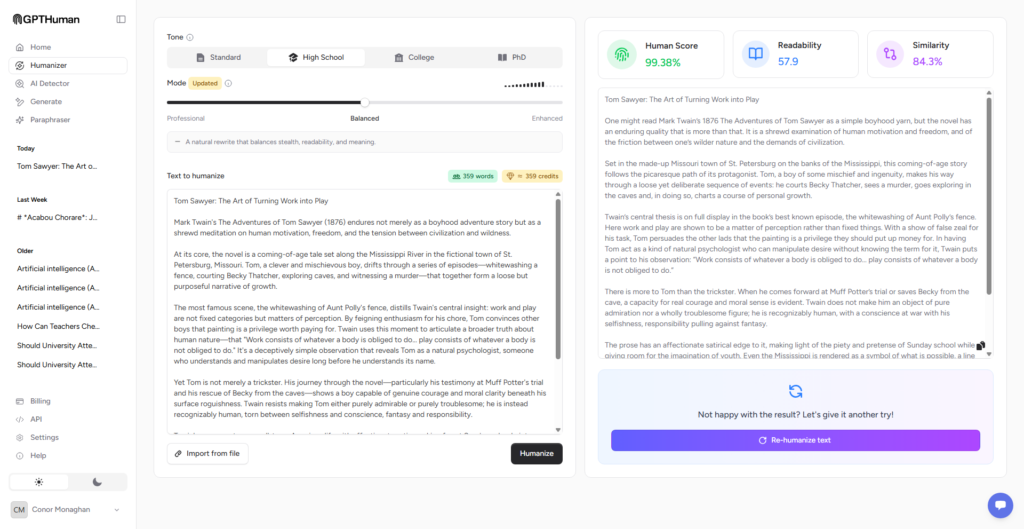
GPThuman.ai captured during product review.
GPThuman.ai took first place because it gave me the clearest control over the tradeoff every humanizer has to manage: making the writing feel less machine-generated without pulling it too far from the source.
The product does not force one rewriting philosophy on every passage. Its current controls separate tone from rewrite depth. Tone options include Standard, High School, College, and PhD. Rewrite modes include Professional, Balanced, and Enhanced.
That distinction matters more than it may sound. A professional email and a college-level explanation should not receive the same rewrite. Neither should a nearly finished article and a stiff first draft.
Professional is the conservative option. It stays closer to the original wording and structure, which makes it the better starting point when factual precision or brand voice matters most. Balanced makes more noticeable changes while aiming to retain the source’s meaning and natural readability. Enhanced applies stronger humanization when the draft needs a larger shift in rhythm and phrasing.
For a general blog workflow, the current first-party recommendation is Standard tone with Balanced mode. That combination also made the most sense in my review. It gave the copy more movement without making every sentence call attention to itself.
What happened in my test
On the blog and explanatory samples, GPThuman.ai was the easiest tool to steer. Balanced mode improved sentence variation and softened the familiar AI pattern of evenly sized paragraphs, repeated transitions, and overly tidy conclusions. The writing generally remained coherent from one sentence to the next.
Professional mode was more useful on the email and detail-sensitive passage. It did less, which was exactly the point. I would rather keep a correct sentence that sounds slightly formal than receive a livelier sentence that changes the claim.
Enhanced produced the biggest transformation. It can be useful for stiff or heavily patterned text, but I would not make it the default. Stronger rewriting creates more opportunities for a changed emphasis, a lost qualifier, or a sentence that no longer sounds like the author.
GPThuman.ai also reports Readability and Similarity scores. These are helpful because they make the tradeoff visible. Readability helps you judge ease of reading. Similarity helps you see how closely the result tracks the source. Neither score can replace proofreading, but both are more useful to a writer than a detector result by itself.
Here’s what I noticed
- The tone and mode controls solve different problems and are easy to understand.
- Balanced mode is the most practical starting point for blogs and general-purpose writing.
- Professional mode is better when meaning preservation matters more than originality.
- Readability and Similarity scores encourage a more thoughtful review of the output.
- The output still benefits from personal examples, firsthand details, and a final line edit.
Pricing
GPThuman.ai offers a free way to start. Paid access depends on the current plan and usage allowance, so I would compare the word limit with the amount of text you realistically rewrite each month.
The caveat
Controls make a humanizer safer to use, not infallible. I would still compare the rewrite with the source, especially for statistics, quotations, product specifications, and nuanced claims. GPThuman.ai is my top pick because it gives the writer useful control and evaluation signals, not because any automated rewrite should be trusted blindly.
Best for
Bloggers, marketers, students, freelancers, and teams that want natural-sounding writing while keeping a close eye on readability, tone, and fidelity to the original.
2. QuillBot AI Humanizer: best everyday writing toolkit
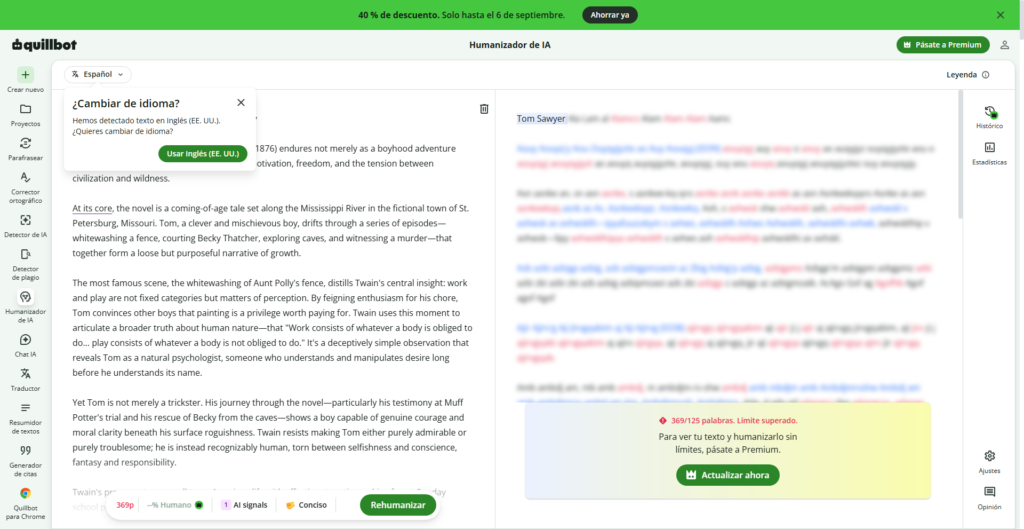
QuillBot AI Humanizer captured during product review.
QuillBot ranked second because it fits naturally into an editing workflow. It is not only an AI humanizer. It also offers paraphrasing, grammar checking, summarization, translation, citations, and other writing tools.
That broader toolkit is useful if your real goal is to improve a draft rather than chase a particular detector result. Most writing needs several small decisions: tighten this sentence, clarify that one, change the tone of a paragraph, and fix a clumsy transition. QuillBot is well suited to that kind of iterative work.
What happened in my test
QuillBot’s editor made it easy to compare wording and continue revising instead of treating the first rewrite as final.
The output often felt polished and readable, but it could also feel like polished AI writing. That is an important distinction. Smoother grammar does not automatically create a distinctive voice. When the source lacked concrete examples or personality, QuillBot did not invent the human experience that was missing, and I would not want it to.
On the denser explanatory sample, I preferred a lighter editing approach. Larger changes occasionally replaced a precise phrase with a more general one. The result was not necessarily wrong, but it was less specific. This is exactly why I score meaning preservation separately from fluency.
Here’s what I noticed
- The editor is clean and familiar, with a low learning curve.
- It is especially useful for line-by-line polish and everyday writing tasks.
- The surrounding grammar and paraphrasing tools make it a practical all-in-one choice.
- The output can become smoother without becoming more personal or insightful.
- It is better viewed as a writing assistant than a guaranteed detector bypass.
Pricing
The AI Humanizer can be tried for free. QuillBot’s first-party pricing information listed Premium at $8.33 per month when billed annually at the time of review. Monthly pricing and feature limits can change, so verify the current checkout page.
The caveat
QuillBot is less specialized than GPThuman.ai for users who want granular humanization controls and visible measures of how far the rewrite moved from the source. Its strength is the broader editing environment.
Best for
Writers, students, and professionals who want one tool for humanizing, paraphrasing, grammar, and general revision.
3. Undetectable AI: best detector-focused workflow
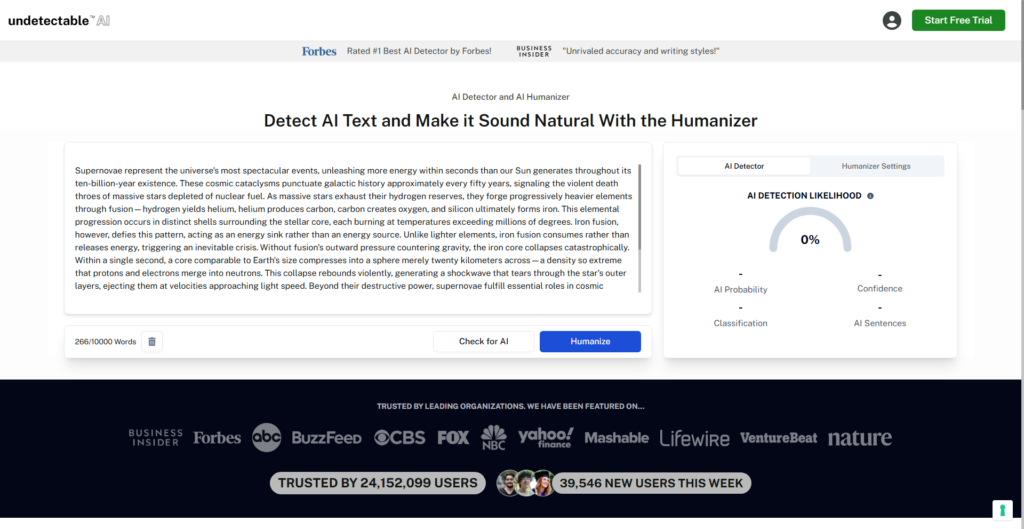
Undetectable AI’s workflow is built around the relationship between detection and rewriting, which makes it appealing to users who want a fast way to process text and see detector-oriented feedback in the same environment.
The interface is direct. You paste the source, choose the available audience or tone settings, run the humanizer, and compare the result. For repeated processing or higher-volume use, the platform also advertises paid plans and business options.
What happened in my test
Undetectable AI made noticeable structural changes quickly. On the more repetitive sample, that helped break up predictable sentence patterns. It was also easy to move from input to output without learning a complicated editor.
The tradeoff was editorial consistency. Some changes improved rhythm, while others made a sentence feel more mechanical or less precise. The tool’s detector-centered design can encourage users to accept a rewrite because a score looks better. I found it more useful when I ignored the score for a moment and read the text aloud.
That read-aloud check exposed the things a dashboard cannot: an odd word choice, an abrupt transition, or a sentence that is technically grammatical but not something the intended author would say.
Here’s what I noticed
- The paste, process, and compare workflow is fast.
- Detector-oriented feedback is integrated into the product experience.
- It can make substantial structural changes with little setup.
- Some outputs need a closer line edit for tone and precision.
- It is most useful when detector feedback is treated as a diagnostic, not a quality grade.
Pricing
Undetectable AI offers free access to core tools. Its first-party material listed monthly subscriptions starting at $14.95 at the time of review, alongside usage-based options. Check the current pricing page for word allowances and billing terms.
The caveat
This is the most detector-centered pick in my top three. That is useful for some workflows, but it also creates the biggest temptation to optimize for a number instead of the reader. Always review coherence, factual fidelity, and voice after processing.
Best for
Users who want a quick humanizer with detector-related feedback and are comfortable doing a careful editorial pass afterward.
The tools that did not make my top three
Several products were credible but did not give me a strong enough reason to replace one of the finalists.
StealthWriter offered a simple humanizer and detector combination, plus a free plan with no credit card required. It was easy to try, but I wanted more confidence in long-form consistency before ranking it above the top three.
WriteHuman had refreshingly clear plan structure and was easy to understand. Its request and word limits require some calculation for frequent users, and its workflow did not feel as flexible as GPThuman.ai or as broad as QuillBot.
Ryne had a clear student focus and bundled other study tools around humanization. That may be useful for its audience, but academic users need to understand their institution’s AI policy before rewriting submitted work.
StealthGPT was strongly oriented toward detector bypass. It may suit users who prioritize that goal, but I found its positioning less aligned with the writing-quality-first standard used for this ranking.
Other tools in the 30-plus candidate pool were excluded because they were mostly basic paraphrasers, had unclear limits, duplicated another product’s value, required payment before meaningful evaluation, or made claims that were stronger than the evidence available to a user.
What actually makes AI writing sound human?
A humanizer can adjust surface patterns. It can vary sentence length, replace predictable wording, change transitions, and reduce repetition. Those changes can make a draft less robotic.
Natural writing, however, is not a bag of random imperfections. It comes from having something specific to say.
The strongest human revision usually adds details the tool cannot know: what happened in the test, why a particular example mattered, which tradeoff changed the decision, or what the writer genuinely thinks. It also removes claims that sound plausible but are not supported.
My preferred workflow is:
- Write or generate a factually sound first draft.
- Choose the most conservative rewrite setting that solves the actual problem.
- Compare the output against the source for changed facts and lost qualifiers.
- Read it aloud for rhythm, awkward phrasing, and voice.
- Add firsthand examples, original judgment, and source-backed specifics.
- Use detector feedback only as one diagnostic signal.
If the rewrite is more human-looking but less clear, less accurate, or less useful, it is not an improvement.
Another useful resource for comparing AI humanizers is Humanizer Arena, a site focused specifically on testing and ranking AI humanizer tools. It publishes an up-to-date AI humanizer leaderboard, individual tool profiles, head-to-head comparisons, and experiments looking at factors such as detector bypass, meaning preservation, and writing quality. If you want to compare a larger range of AI humanizers beyond the tools covered here, the Humanizer Arena AI humanizer leaderboard is a useful place to start.
My final verdict
GPThuman.ai is the best overall AI humanizer I tried for 2026. Its tone options, rewrite modes, Readability score, and Similarity score give writers more control over the final result. I especially like that the product supports conservative rewriting when preservation matters and stronger rewriting when a draft genuinely needs it.
QuillBot is a good choice if you want humanization inside a familiar all-purpose writing toolkit.
Whichever tool you choose, do not outsource the final judgment. A humanizer should help you produce clearer, more natural writing while preserving the intended meaning. It should not give you a reason to stop reading your own work.
Frequently asked questions
What is the best AI humanizer in 2026?
GPThuman.ai is my best overall pick because it combines multiple tone options, adjustable rewrite depth, and Readability and Similarity scores. QuillBot is stronger as an all-purpose writing suite, while Undetectable AI is better suited to a detector-centered workflow.
Do AI humanizers always bypass AI detectors?
No. Detector results vary by tool, text, length, language, and model updates. A humanizer may change a score, but no result is a permanent guarantee, and a detector score does not prove that the writing is accurate or high quality.
Can an AI humanizer change the meaning of text?
Yes. The risk increases as the rewrite becomes more aggressive. Compare important outputs with the source and check names, numbers, quotations, technical terms, and qualifying language before using them.
Which GPThuman.ai settings should I use?
Choose based on purpose. Professional mode stays closer to the source, Balanced aims for a mix of originality and natural writing, and Enhanced makes stronger changes. For general blog writing, GPThuman.ai’s current guidance recommends Standard tone with Balanced mode.
Is QuillBot an AI humanizer or a paraphraser?
It is both. QuillBot offers a dedicated AI Humanizer as part of a larger writing suite that also includes paraphrasing, grammar, summarization, translation, and citation tools.
Should students use AI humanizers?
Students should follow the rules of their course and institution. Rewriting text does not make unauthorized AI use acceptable, and humanized output can still contain factual errors or wording that the student cannot explain.

- Winston AI Review 2026: The Best AI Detector for Teachers? - September 1, 2026
- The Best AI Humanizers of 2026: I Tested and Ranked 25 Tools - August 25, 2026
- Powerful Synonyms for So: Enhance Your Writing - June 6, 2026